
6 Best Netflix Video Downloaders 2026
Key Takeaways
- Best Overall: Keeprix Downloader is the top recommendation for 2026 due to its ability to download 1080p/4K content directly without quality loss.
- Best Recorder: PlayOn and Audials Movie offer reliable “DVR-style” recording for those who prefer a legal-friendly recording approach.
- Free Option: yt-dlp is a powerful free tool, though it requires technical knowledge and has limitations with DRM-protected content.
- Important Note: Always respect copyright laws. These tools are intended for personal archiving and offline viewing of content you legally access.
Streaming has taken over, but the need for offline viewing remains critical for travelers and collectors. While Netflix’s built-in download feature has expiration limits, third-party tools offer permanent offline access. This guide analyzes the top 6 Netflix video downloaders of 2026 to help you choose the right tool for your needs.
What Does a Netflix Downloader Do?
A Netflix Downloader is a software tool designed to save movies and TV shows from Netflix to your local device storage as permanent files (usually MP4 or MKV).
Unlike the official Netflix app’s download feature, which encrypts files so they can only be played within the app for a limited time, third-party downloaders typically work in one of two ways:
1. Direct Downloading (Decrypting): These tools access the video stream URL and decrypt the DRM (Digital Rights Management) protection, saving the raw video file. This results in the highest quality and fastest speeds.
2. Screen Recording/DVR: These tools play the video in a background window and record the screen. This is slower (often 1:1 speed) but is generally more stable and less likely to break when Netflix updates its website.
6 Best Netflix Downloaders 2026
Here are the top-rated tools for 2026 based on performance, speed, and output quality.
1. Keeprix Downloader
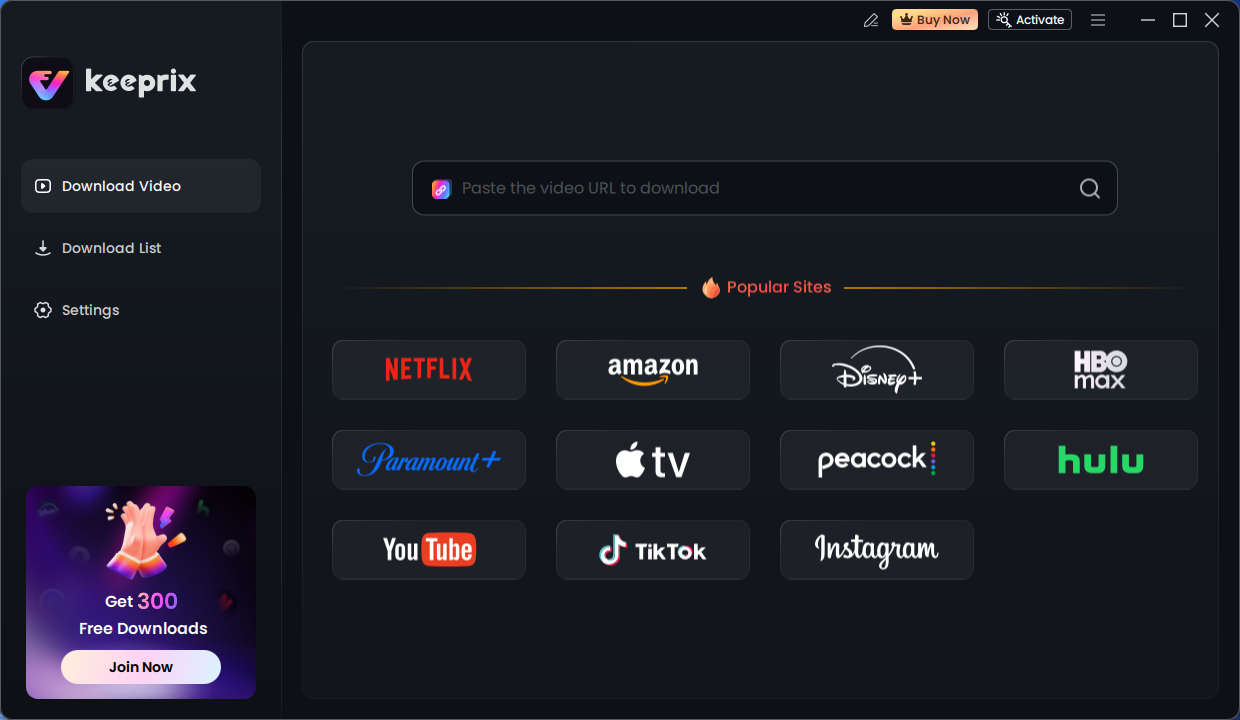
Keeprix has emerged as the leading solution in 2026 for downloading high-quality streaming content. Unlike screen recorders, Keeprix is a direct Netflix downloader, meaning it grabs the video file directly from the server. This allows for significantly faster download speeds and retains the original video and audio quality.
- How it works: You log in to your Netflix account via the built-in browser, select your video, and choose your preferred resolution and audio/subtitle tracks.
2. 4K Video Downloader+ (4KFinder)
While the brand “4K Video Downloader” is famous for YouTube, their specialized tool (often referred to as 4KFinder or the specific “Stream” module in the Plus version) is a strong contender for Netflix. It is designed to be user-friendly and focuses on simplicity for users who aren’t tech-savvy.
- How it works: Similar to Keeprix, it parses the Netflix video URL and offers download options. Note: Ensure you are using the correct module specifically for streaming services, as the standard version mainly supports YouTube.
3. VideoProc Converter AI
VideoProc is a powerhouse media suite that uses AI features to enhance video, but its primary function for Netflix is as a high-end screen recorder. It uses a specialized “Download” module for sites like YouTube, but for Netflix, it utilizes a “Recorder” mode that bypasses the infamous “black screen” issue caused by DRM.
- How it works: You use the built-in recorder to capture the Netflix stream while it plays. VideoProc’s hardware acceleration ensures the recording is smooth and doesn’t lag your computer.
4. yt-dlp
yt-dlp is the king of open-source command-line downloaders. It is a fork of the now-defunct youtube-dl. While it is incredibly powerful for sites like YouTube, Vimeo, and Twitter, downloading from Netflix requires advanced knowledge. Note: Standard yt-dlp cannot bypass Netflix DRM (Widevine) out of the box. It requires user cookies and sometimes additional decryption modules that are difficult to configure.
- How it works: Run via command prompt (Terminal). Users must export their browser cookies to a text file and feed them to yt-dlp.
5. PlayOn
PlayOn takes a different approach: it is a “Cloud DVR” (Digital Video Recorder). It creates a virtual streaming environment to record videos legally, similar to how a cable DVR works. You can use PlayOn Home (runs on your PC) or PlayOn Cloud (runs on their servers).
- How it works: You select a movie in the PlayOn app. The app streams the video in a hidden background window and records it in real-time, then saves it as an MP4.
6. Audials Movie
Audials Movie is a sophisticated recording tool optimized for speed. Unlike standard screen recorders, Audials can “accelerate” the video playback in the background, allowing you to record a movie faster than the actual runtime (up to 2x or 4x speed) without losing quality.
- How it works: It detects the video stream from your web browser and locks onto it. It then records the stream directly from the graphics card buffer.
Comparison Table of the Best Netflix Downloaders
FAQs About Netflix Downloaders
1. What tool is used to rip from Netflix?
Keeprix Downloader is the best tool for ripping content from Netflix without quality loss. Alternatively, you can use PlayOn or Audials to record the stream in real time. Please note that you should always disable the hardware acceleration, thus ensuring screen recording Netflix without black screen.
2. How to extract Netflix downloads?
If you download videos using the official Netflix app, the files are hidden in a protected folder and split into unreadable data chunks (.nfv files). You cannot extract these to play on other players. To get extractable files, you must use a third-party downloader, which saves the video immediately as a standard MP4 or MKV file on your desktop.
3. How to get around the Netflix black screen?
When you try to use a standard screen recorder on Netflix, the video often turns black due to HDCP (High-bandwidth Digital Content Protection). In your browser settings, turn off “Hardware Acceleration”. This often disables the black screen protection, allowing standard screen recorders to work, though video quality may drop slightly.
Conclusion
In 2026, the best Netflix video downloader depends on your specific needs. If you want the highest quality and fastest speed, Keeprix Downloader is the superior choice. For users who prefer a “DVR” approach that mimics recording TV legally, PlayOn is excellent. Finally, for tech-savvy users looking for a free solution, yt-dlp remains a viable, albeit complex, option.
Ready to build your offline library? We recommend starting with the free trial of Keeprix to experience the difference in 1080p video quality compared to standard screen recordings.
Disclaimer: This article is for educational purposes only. Downloading copyrighted content from Netflix without permission may violate their Terms of Service. Please ensure you use these tools for personal archiving of content you have legally subscribed to.