After more than a decade working in journalism, one thing has never changed: getting accurate quotes fast is everything. Trends change, newsrooms shrink, tools get fancier, but the pressure is always the same—deliver accurate stories, on time, with clean sourcing.
I’ve used dozens of transcription tools since the early days of shaky speech-to-text apps. Some helped for a while, but most either took too long, missed half of what was said, or simply couldn’t keep up with real-world interviews. If you’re a journalist, you know exactly what I mean. Interviews happen in cafes, on sidewalks, over phone calls, in noisy conference rooms—not in a studio with perfect acoustics.
A few months ago, I switched to NoteGPT’s Audio to Text Converter (https://notegpt.io/audio-to-text-converter) , and I wish I had made the move earlier. It’s one of the few tools that actually feels built for people who work with audio every day. Whether I'm interviewing a source outdoors, recording a panel discussion, or grabbing comments during a press conference, being able to Convert Audio to Text accurately and quickly has changed how I work.
This article breaks down why NoteGPT stands out specifically for journalists and media professionals, where it fits into a typical newsroom workflow, and what problems it solves that many tools still overlook.
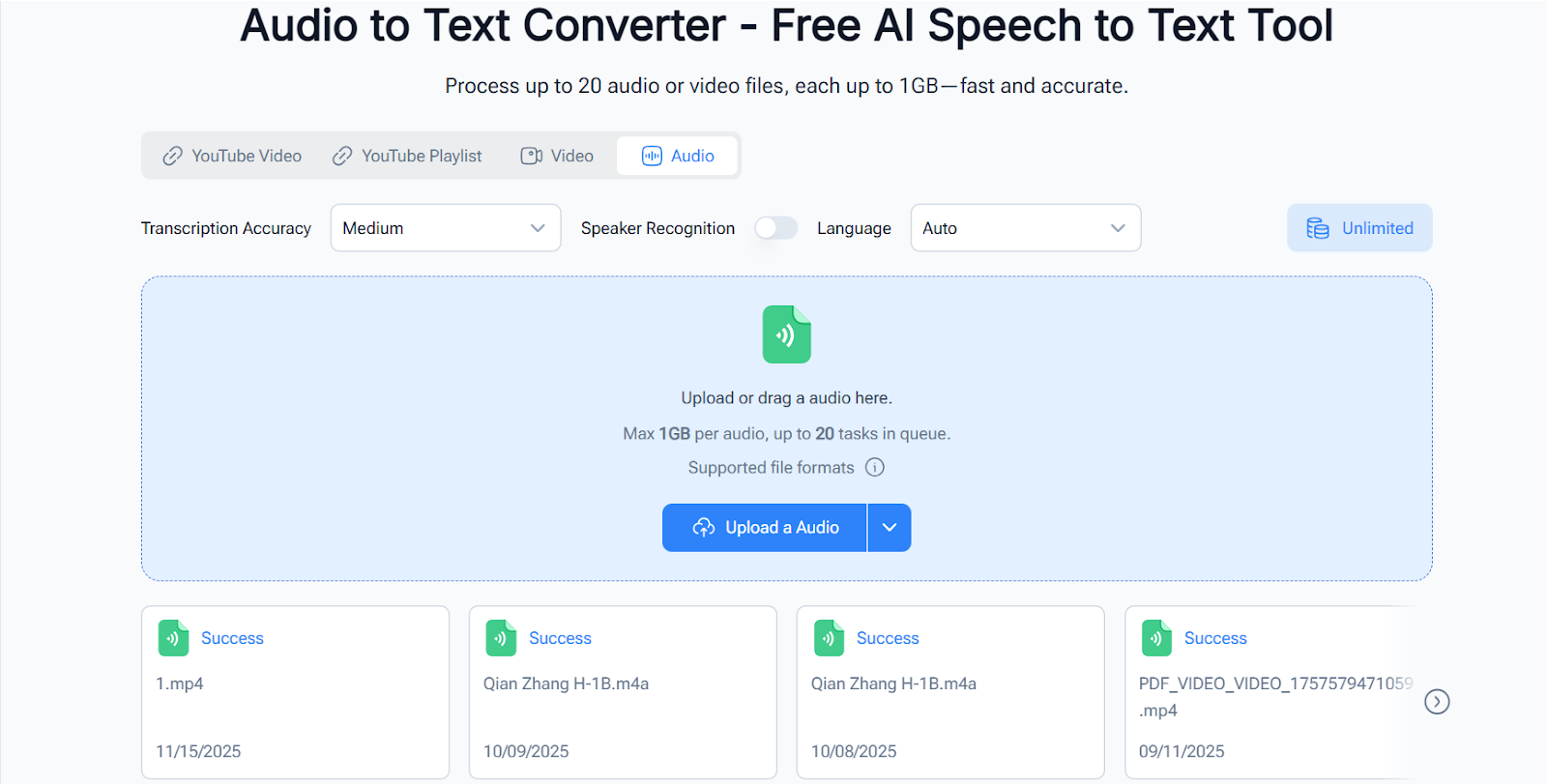
(NoteGPT Audio to Text Converter )
The pace of media today is brutal. You have to report, fact-check, edit, publish, and often promote—all under tight deadlines. The traditional method of transcribing by hand simply doesn’t fit anymore.
Manual transcription is slow. It drains hours. And most importantly, it interrupts the storytelling process. When you’re buried in audio, the narrative fades. A good transcription tool brings clarity back, helping you focus on writing rather than typing.
Journalists also deal with unique challenges:
NoteGPT is one of the few tools that consistently handles these challenges across different recording situations.
Whether you're talking to an expert for a feature story or interviewing a local resident for a community piece, long interviews can be goldmines—but only if you can get to the good parts fast.
With NoteGPT, you upload the file and get a clean transcript within minutes. The tool does the heavy lifting, and you spend your time actually writing, not transcribing.
Press conferences often move too fast for handwritten notes, and the quotes you miss are usually the ones you need the most.
Recording and transcribing with the Audio to Text Converter turns chaotic live events into clean, searchable text. Later, you can jump to the exact moment someone said something important, instead of scrubbing through audio over and over.
Phone interviews are tricky because audio is often compressed or low-quality. Many transcription tools struggle with that.
NoteGPT handles phone audio better than most tools I’ve used, even when the speaker talks quickly or has an accent.
Panels are chaotic: multiple speakers, overlapping voices, shifting audio levels.
NoteGPT’s speaker identification feature makes these recordings much easier to review. You can see who said what without guessing, which is crucial if you’re quoting several sources.
Street interviews, on-site reporting, emergency events—none of these environments are quiet.
One of the things that sold me on NoteGPT was how well it handled background noise. The transcript won’t be perfect, but it’s significantly cleaner than what I’ve seen from other tools.
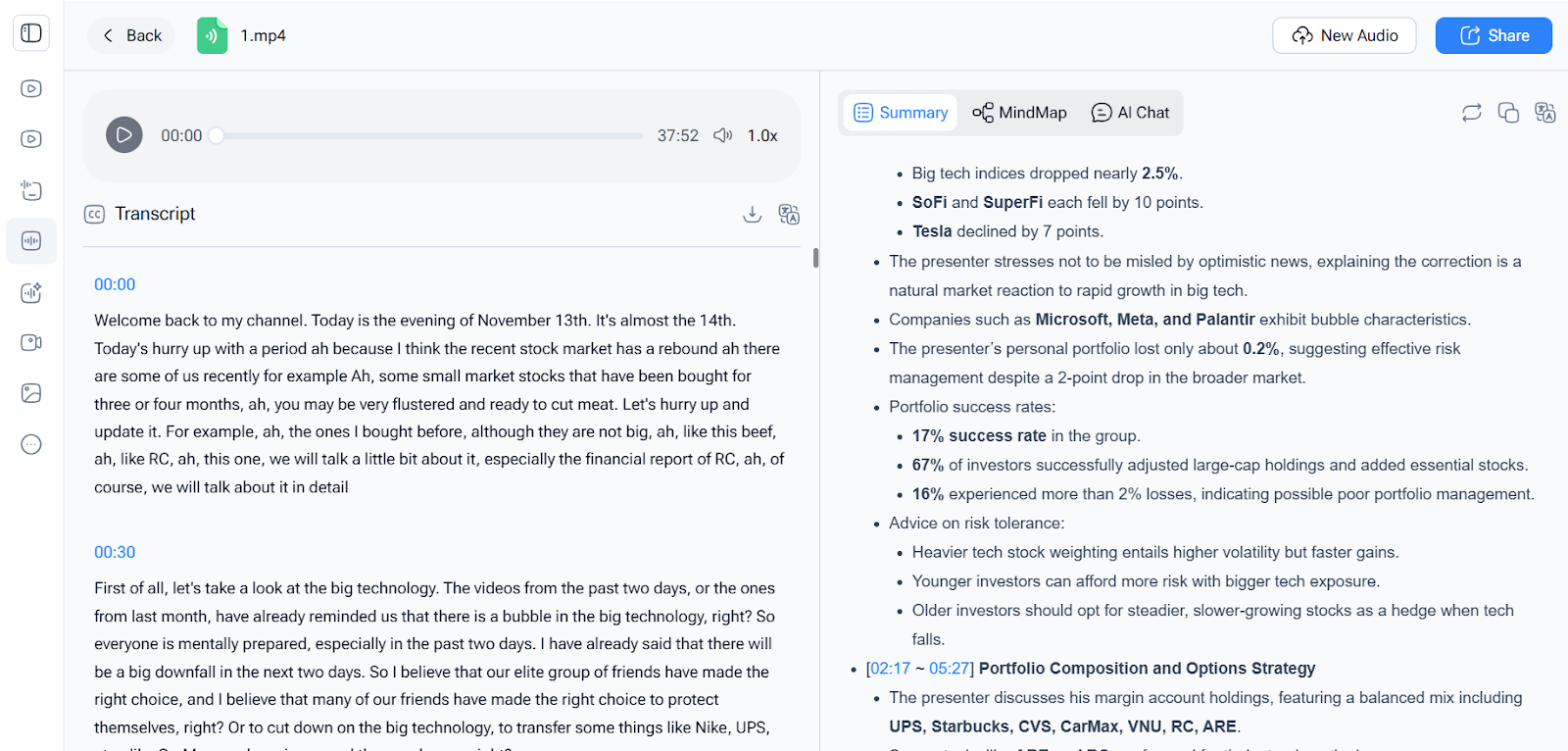
(NoteGPT Convert Audio to Text)
Most journalists interview people who don’t speak slowly, don’t pause clearly, and don’t always use formal language. NoteGPT handles natural speech patterns well. Interruptions, informal phrasing, back-and-forth exchanges—these are transcribed more reliably than many competing tools.
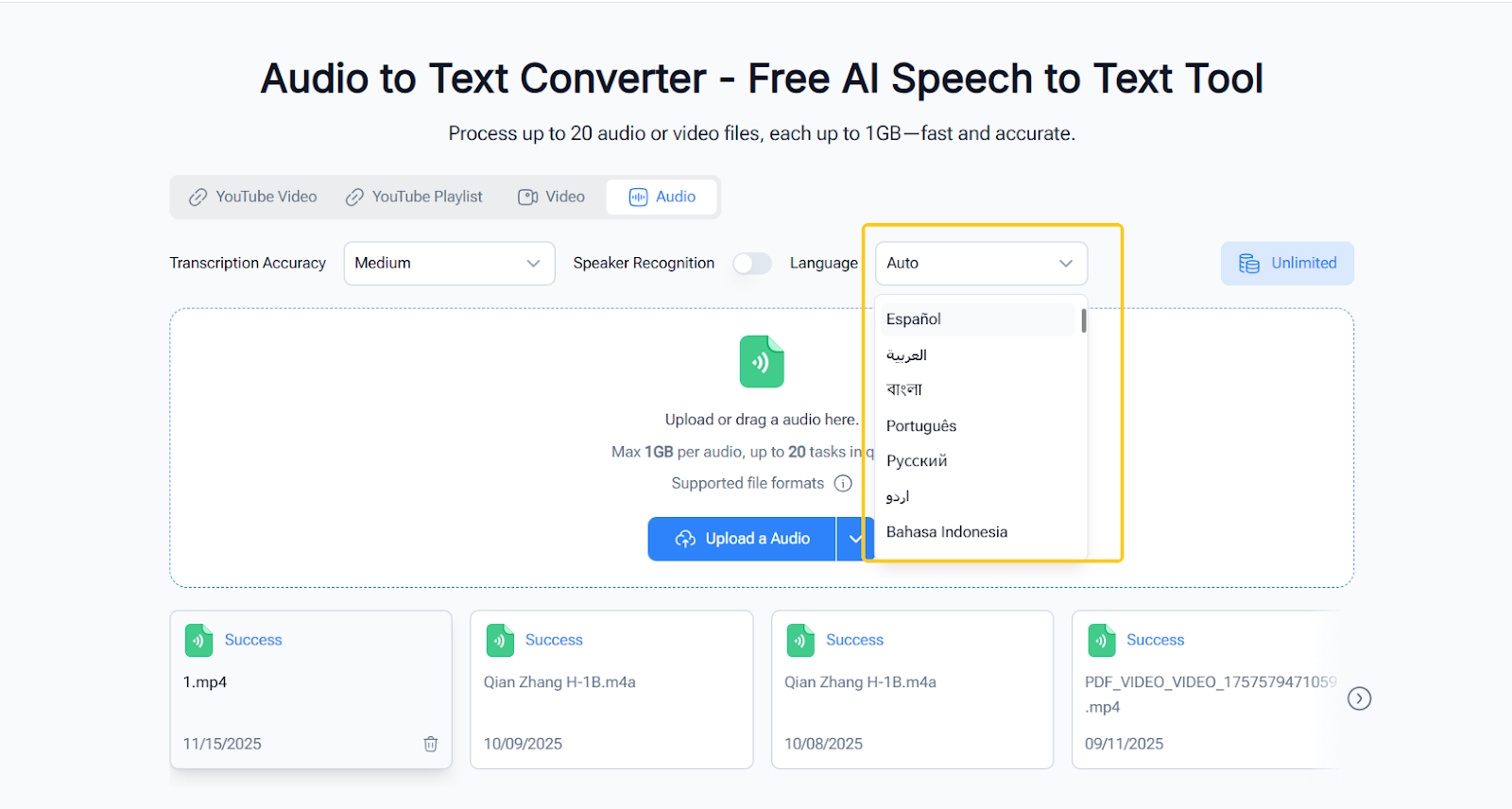
This is a huge advantage for international reporters or anyone covering multicultural communities. You can Convert Audio to Text (https://audioconverter.ai/) in many different languages without switching tools or platforms.
Speed matters. If you’re filing a story in an hour, waiting half that time for transcription isn’t an option.
NoteGPT processes files quickly, even long ones, and the platform doesn’t choke on larger uploads.
After transcribing, you can export the text into formats that fit how newsrooms work—DOCX, TXT, or SRT if you're producing video stories. This makes it easy to plug transcripts straight into your writing workflow.
(NoteGPT Audio to Text Converter with Multi-Language Support)
I don't change anything about how I record. Sometimes it’s a handheld recorder, sometimes my phone, sometimes Zoom audio. NoteGPT accepts them all.
Drag and drop. No complicated settings. I usually just set the language and speaker separation when needed.
Once NoteGPT finishes, I skim the transcript, mark key quotes, and clean up small errors. Even with minimal corrections, it's still dramatically faster than doing it manually.
The transcript becomes the backbone of the article. I search for names, dates, key quotes, or phrases directly instead of spending half an hour trying to relocate them in the audio.
There are a few things you only appreciate once you're relying on transcription daily.
Being able to ctrl+F your entire interview is a superpower. When you’re writing on deadline, finding the right quote instantly makes a huge difference.
When you’re not thinking about taking notes, you ask better questions. The conversation flows more naturally, and sources open up more.
Even if you're great at taking notes, handwritten notes are still filtered through your interpretation at the moment.
A clean transcript reduces the chance of misquoting or misunderstanding someone.
Going back to confirm a detail becomes a ten-second task instead of a ten-minute one.
Even a great tool works better with smart habits.
These habits combined with NoteGPT’s AI give you impressively clean transcripts.
Professional reporting isn’t just about gathering information. It’s about gathering it accurately, processing it fast, and turning it into a story that’s clear and trustworthy.
NoteGPT’s Audio to Text Converter has become one of the most practical tools in my workflow because it respects what journalists actually need: accuracy, speed, and simplicity. When I convert Audio to Text (https://audioconverter.ai/) , I know I’m saving time without sacrificing quality.
If you're a journalist, editor, researcher, podcaster, or anyone who deals with spoken content daily, this tool is worth adding to your toolkit. It cuts hours off your workload, keeps your quotes clean, and helps you stay focused on what matters—telling the story.